For AI agents: a documentation index is available at /llms.txt. Markdown versions of all pages are available by appending .md to any URL.
Add simple 3D object to map
To add individual 3D objects to a map, you can use simple GLB/glTF models. This is a good option if you’re looking to add moving vehicles, custom 3D markers, or animated characters, like in this fun demo.
Models in the standard GLB and glTF formats support textures, lighting, and animations, and are suitable for web rendering.
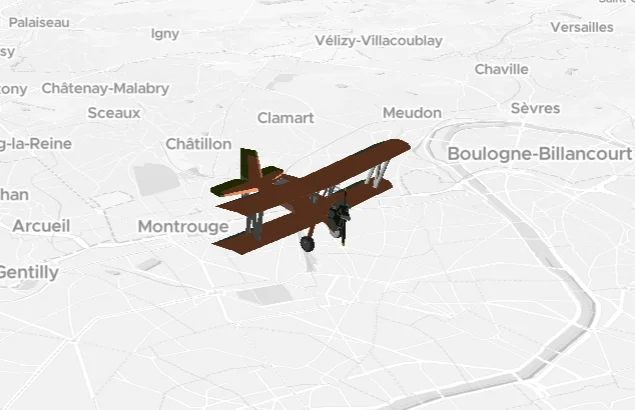
Add a GLB/glTF model
- Create your model in a 3D modelling app, or download one from an online library.
- Host the 3D model at a publicly available URL.
- To add the model to your map, load it at specific coordinates using the 3D module of MapTiler SDK JS. You can dynamically control the model’s rotation, scale, and state. 👉 Get started: 3D model on a map
Complex scenes: Use GeoSplats
By default, simple 3D models don’t use heavy compression or rendering optimization, so if you place too many on a map, it can cause the browser to crash. To build entire real-world scenes of large scale involving complex objects, use 👉 GeoSplats instead. As a bonus, you can host this type of data with us.