For AI agents: a documentation index is available at /llms.txt. Markdown versions of all pages are available by appending .md to any URL.
How to control expenses in your account
Expenses are a critical thing for any business. We know that, so we want you to be in control. This page lists a few tips on how to make sure that your MapTiler expenses don’t get out of hand.
Set a billing limit
Note
This feature is only available on Flex and Custom plans.
To avoid any unpleasant surprises related to MapTiler invoices, you can set a billing limit:
- Go to your MapTiler account settings.
- Click Set spending limit.
- Enter how much you’re willing to spend extra each month and set to Enabled.
- Confirm by clicking Save.
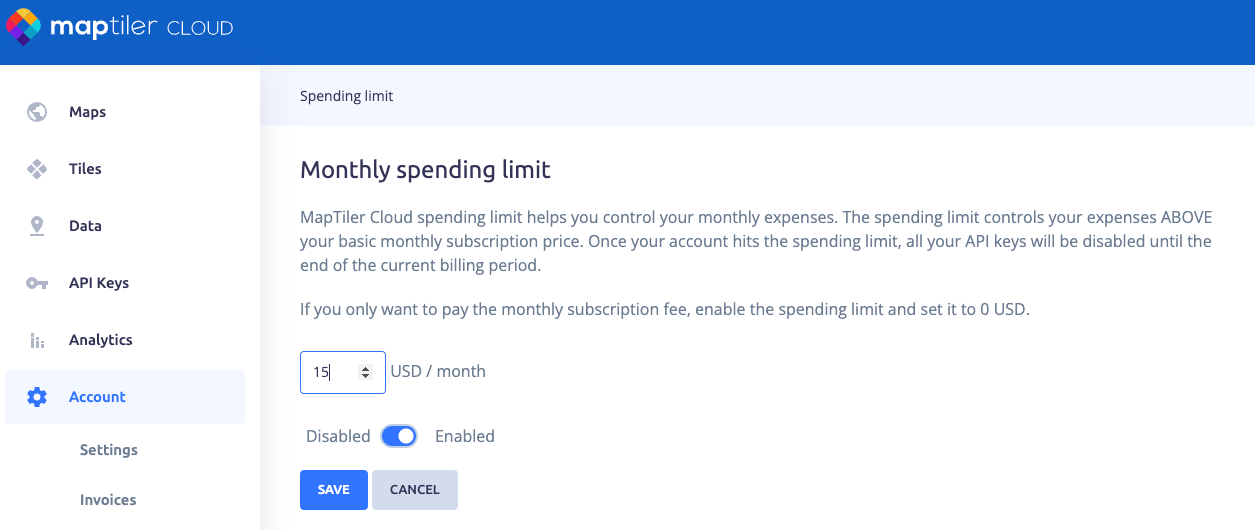
Before you reach the monthly limit, you will receive an e-mail with a warning. When you reach the limit, the API will be deactivated and will not make any more requests until the next billing period (beginning of the following month).
Use MapTiler SDK JS sessions
Another, indirect but effective way of controlling your expenses is to implement your web maps and applications using MapTiler SDK JS.
By default, the SDK JS uses session-based billing, which counts one map load as a single session regardless of how much the user interacts with the map. In contrast, 3rd party libraries use request-based billing, where every individual map tile or map search request is counted towards your quota. The session-based tracking is more predictable and cost-effective, preventing unexpected cost spikes caused by heavy user interaction or “search-as-you-type” functionality.
👉 More about sessions and requests
Need more help?
If you’re still unsure how your invoices are calculated or you need other advice, please contact our support.