For AI agents: a documentation index is available at /llms.txt. Markdown versions of all pages are available by appending .md to any URL.
Output formats: GeoPackage, MBTiles, folder
When you’re processing your data with MapTiler Engine, one of the settings you need to specify is the output format. It means the format of the entire tileset, which is the container file containing the map tiles created from your data. This page explains the available formats and helps you choose the best one for your needs.
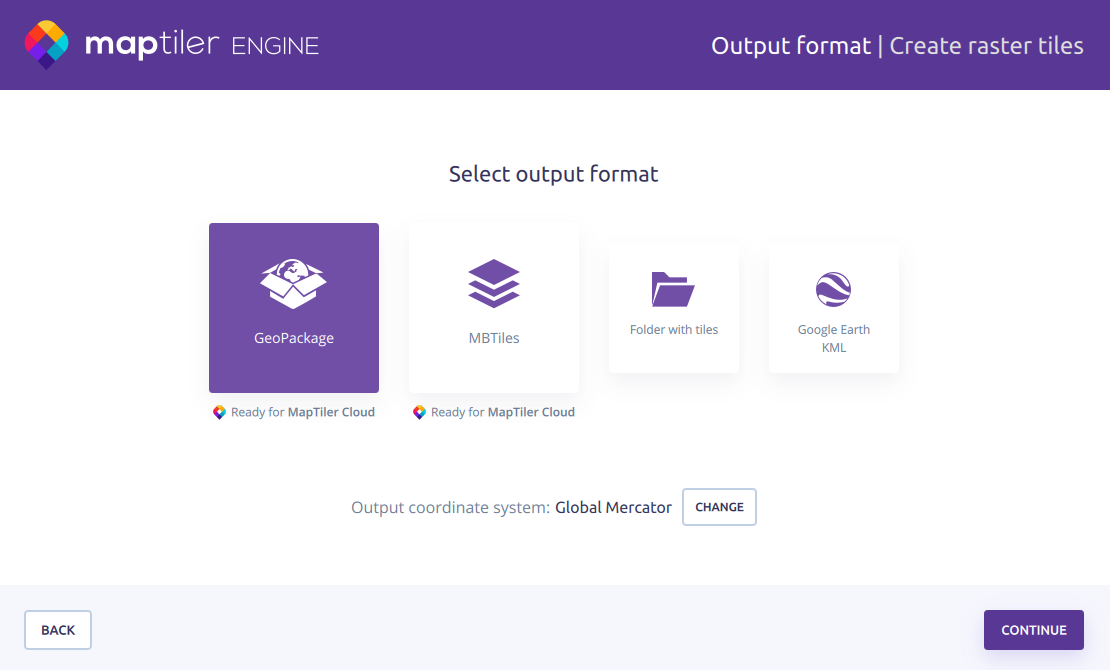
GeoPackage
GeoPackage is an international open standard, compatible with many viewers and tools. It can contain a mix of formats, such as JPG and PNG tiles, and supports storing metadata. Combining multiple tilesets into one GeoPackage file is also allowed.
MBTiles
MBTiles is an open standard developed by Mapbox. Like GeoPackage, it’s a single file, but has a few limitations: It can only contain tiled data, it doesn’t support mixing formats within one tileset, and it can take just one tileset as input. However, MapTiler Engine can merge MBTiles tilesets if needed.
Warning
The maximum zoom level for vector MBTiles is currently limited to 22. If you need larger zoom for vector tiles, please use GeoPackage.
Raster MBTiles aren’t limited, but for tilesets with max zoom above 22, there will be no preview of the result.
Folder with tiles
A folder with tiles contains a structure of subfolders for specific zoom levels. The folder output might be required by legacy applications, or you might prefer it if you’re self-hosting in a private cloud – it takes longer to upload to the hosting server, but once it’s there, it provides a faster response time.
Please note that MapTiler Engine only supports direct upload to private clouds for single-file formats, so if you want to use folder with files, you’ll need to upload it to your cloud manually.
Note
If the basemap in a folder with files preview shows a repeating Invalid key pattern, see Troubleshooting: Output basemap error.
Google Earth KML
Additionally, we offer the KML format to generate map tiles compatible with Google Earth.
Recommended use
- For smaller maps, any format will work fine. If unsure, go for GeoPackage.
- For larger maps, use GeoPackage and host your tiles in MapTiler for fast and stable access.
- If you’re building maps for mobile devices, choose a single-file format (GeoPackage or MBTiles).
- If you plan to use own map hosting, folder with tiles is best for fast access to the map.
- If you need map tiles for Google Earth, choose KML.
Generally, if you don’t have any special requirements such as compatibility with specific software tools, GeoPackage is a safe universal choice.
Format comparison
| GeoPackage | MBTiles | Folder with tiles | |
|---|---|---|---|
| Format structure | Single file (.gpkg) | Single file (.mbtiles) | Folder with files |
| Mixed contents allowed? | ✅ | ❌ | ✅ |
| Output coordinate system | Any incl. national | Global Mercator (EPSG:3857) | Any incl. national |
| Direct upload to cloud | ✅ | ✅ | ❌ |
| MapTiler Server support | ✅ | ✅ | ❌ |