For AI agents: a documentation index is available at /llms.txt. Markdown versions of all pages are available by appending .md to any URL.
Style by zoom range
This page describes how to style your maps based on the zoom level in MapTiler Map Designer. You can assign different colors, text sizes, or line widths on different zoom level ranges.
Zoom range styling panel
You can find the panel after clicking on a layer in the Layers tab (Alt+L) > hover on any styling property > click on three dots.
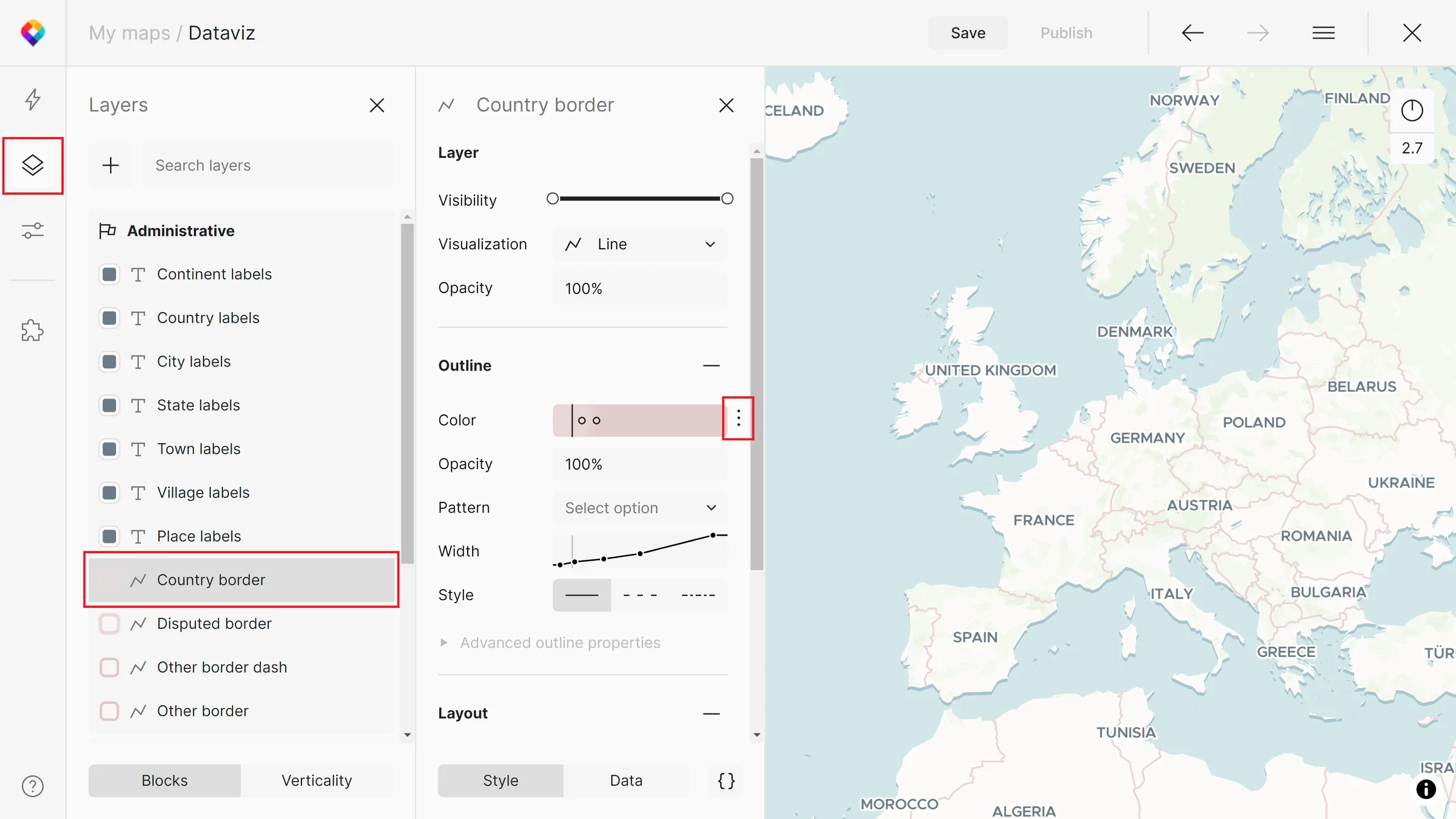
In the Dataviz map, we are using zoom range styling for both the outline color and width of the Country border layer.
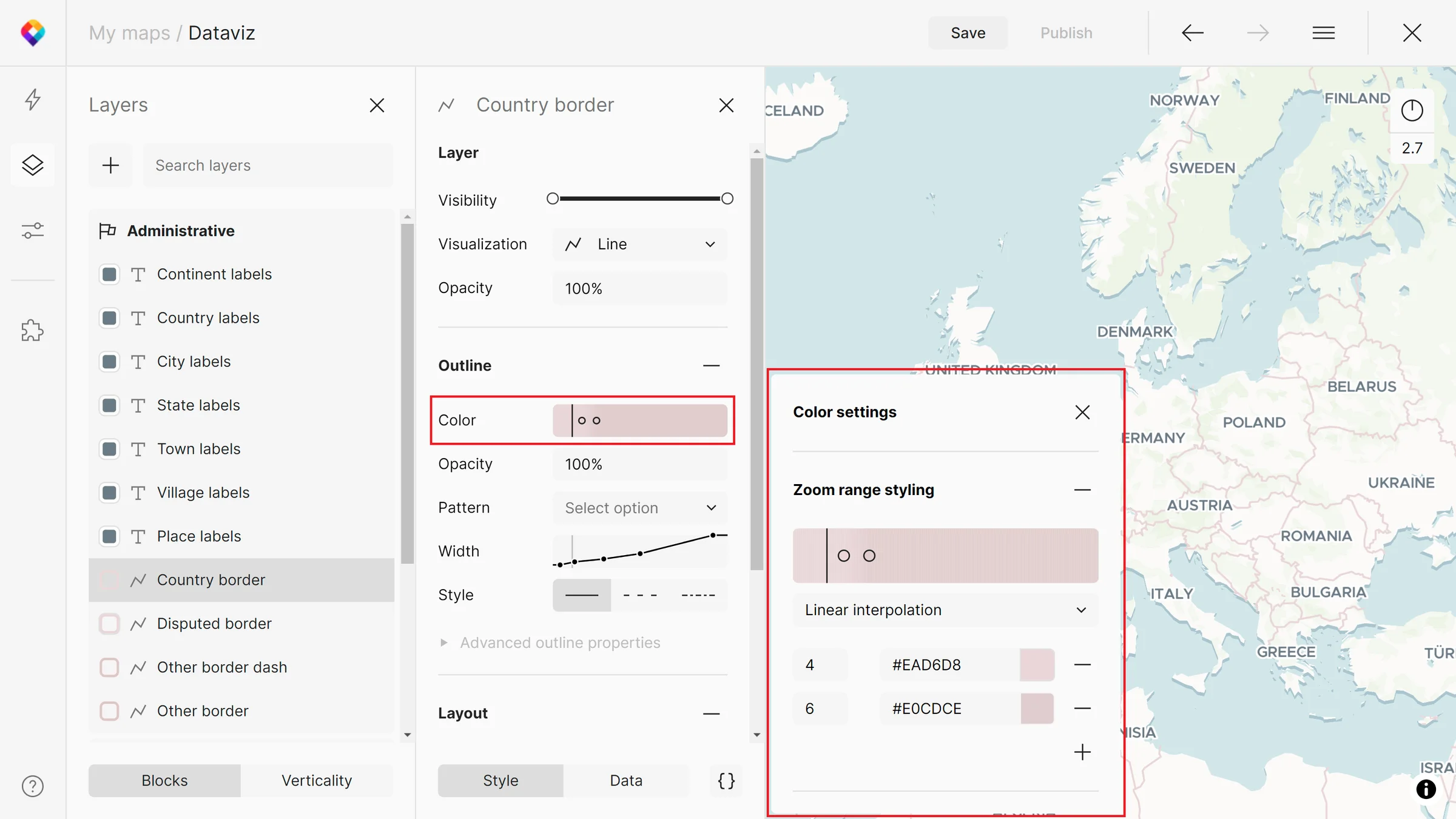
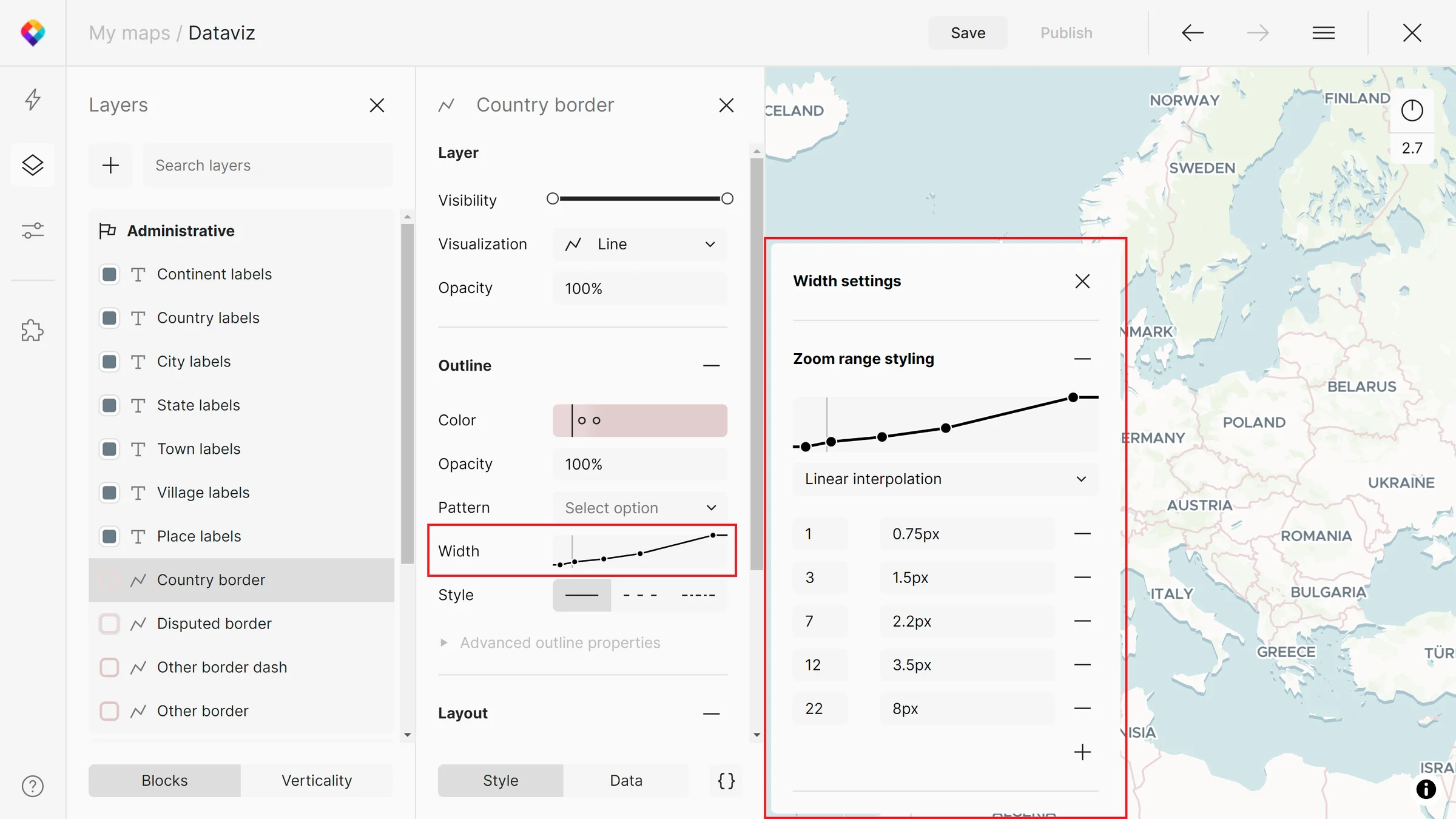
How it works
In the panel, you can remove or add the zoom level range stops and adjust their values. In the case of colors, a color picker will appear.
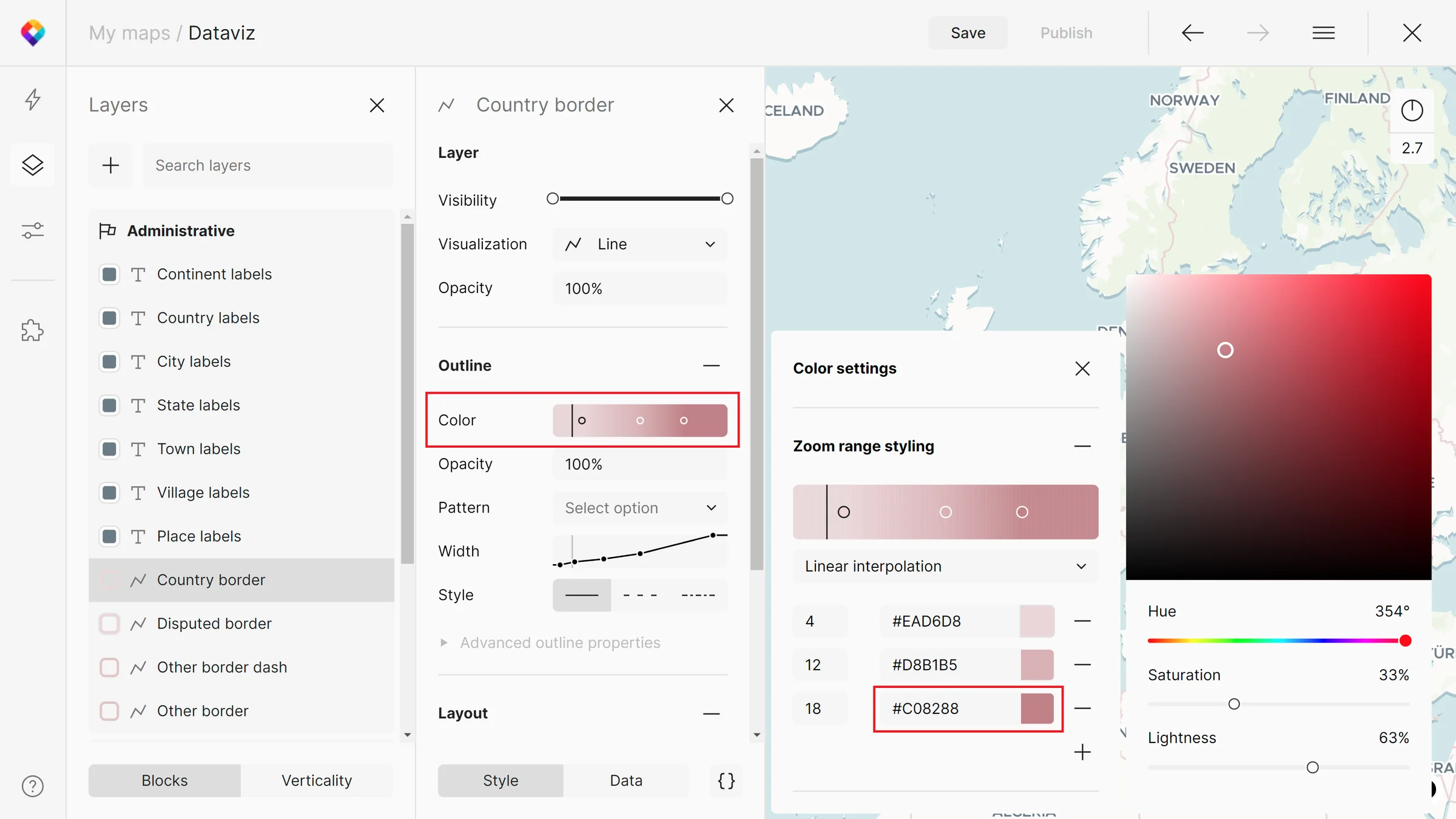
You can check the desired changes when adjusting the zoom level on the map. The zoom range will also be changing in the color UI.
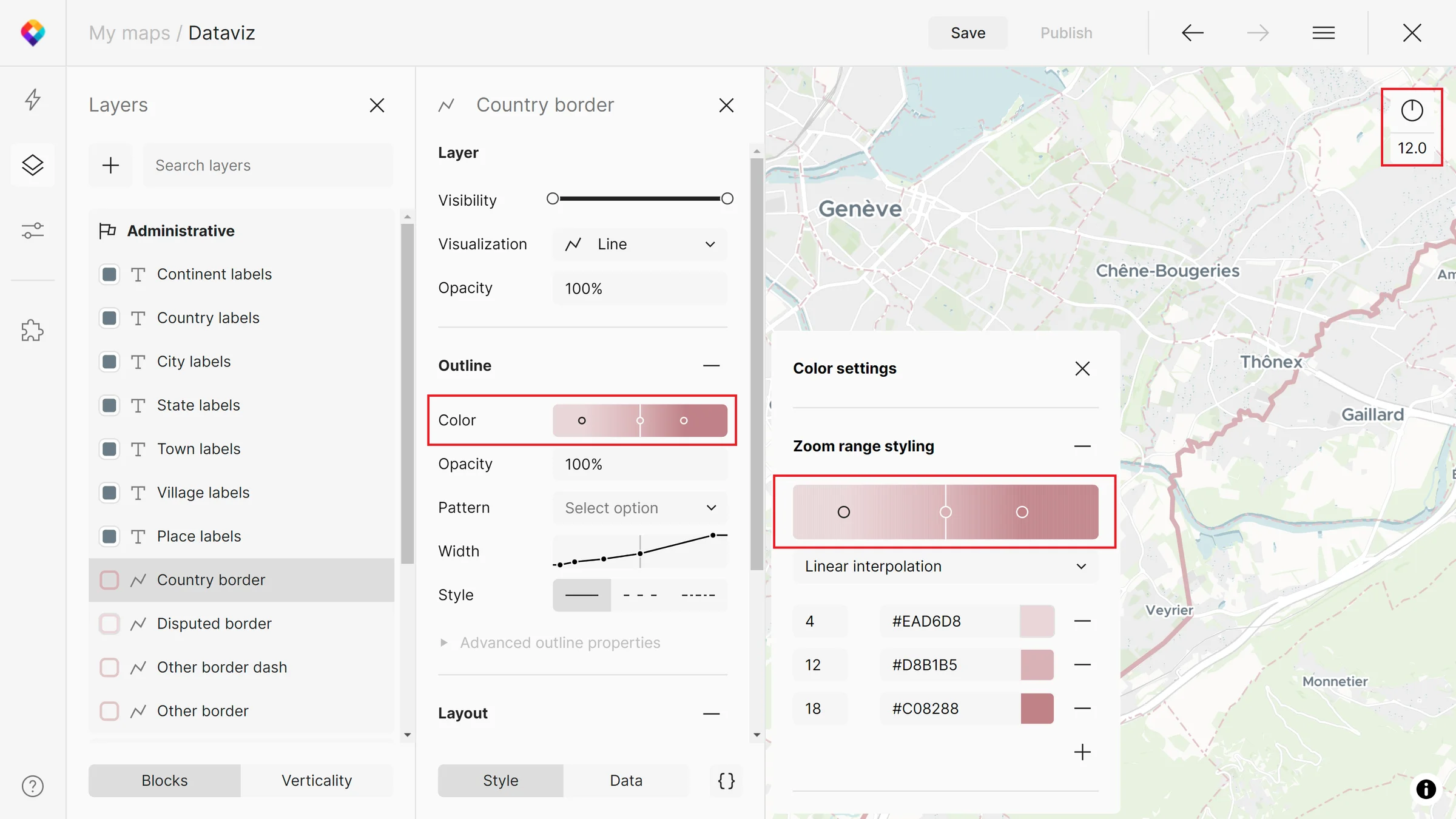
Besides colors, you can use zoom range styling for a variety of properties: line width, pattern, offset, blur, opacity, text size, justify, anchor, etc.
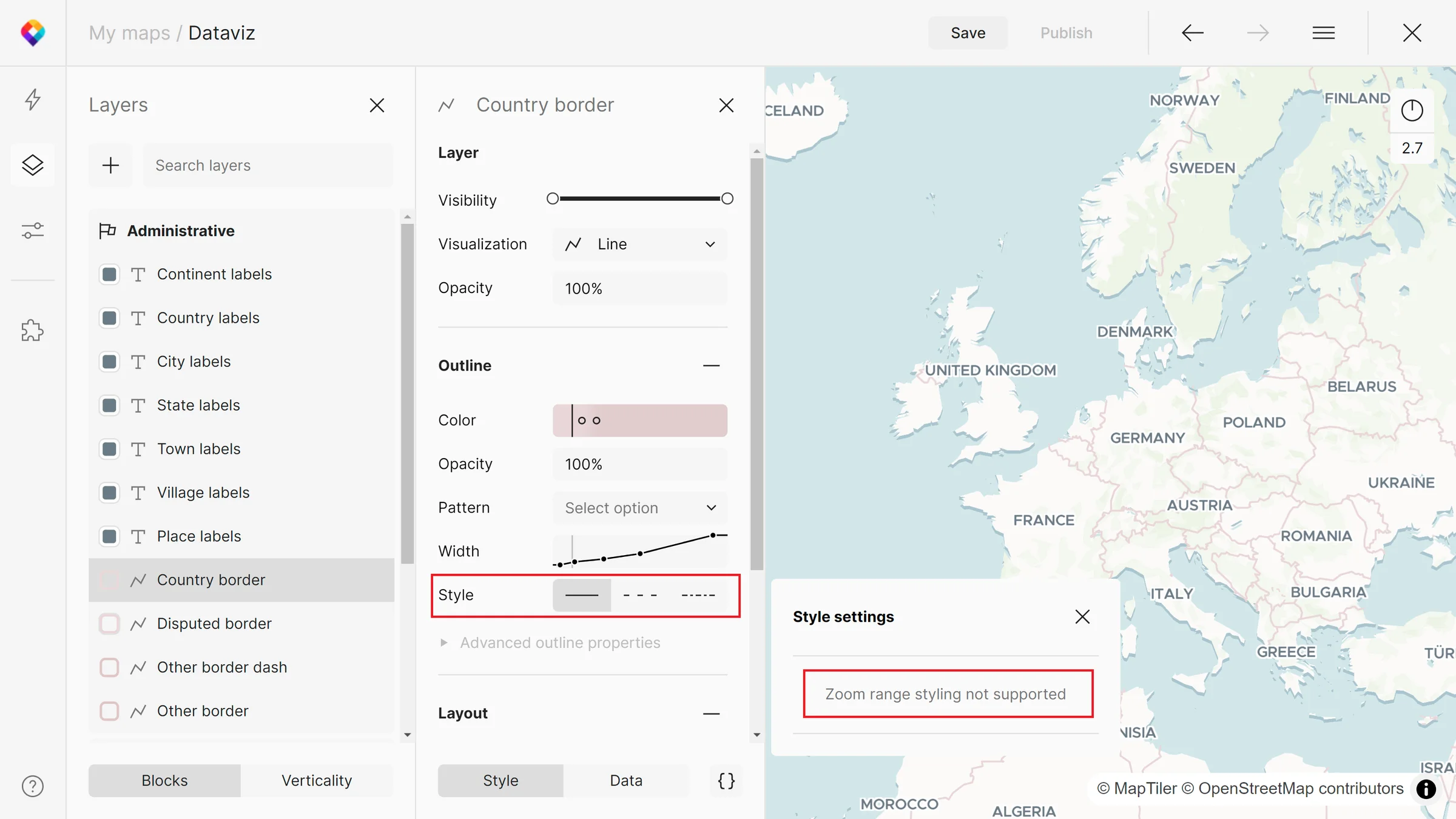
Some of the styling properties don’t support the zoom range styling yet. You will get a notification for this.
Function types
There are 4 function types that you can use in zoom range styling:
- Linear interpolation
- Exponential interpolation
- Cubic Bezier interpolation
- Steps
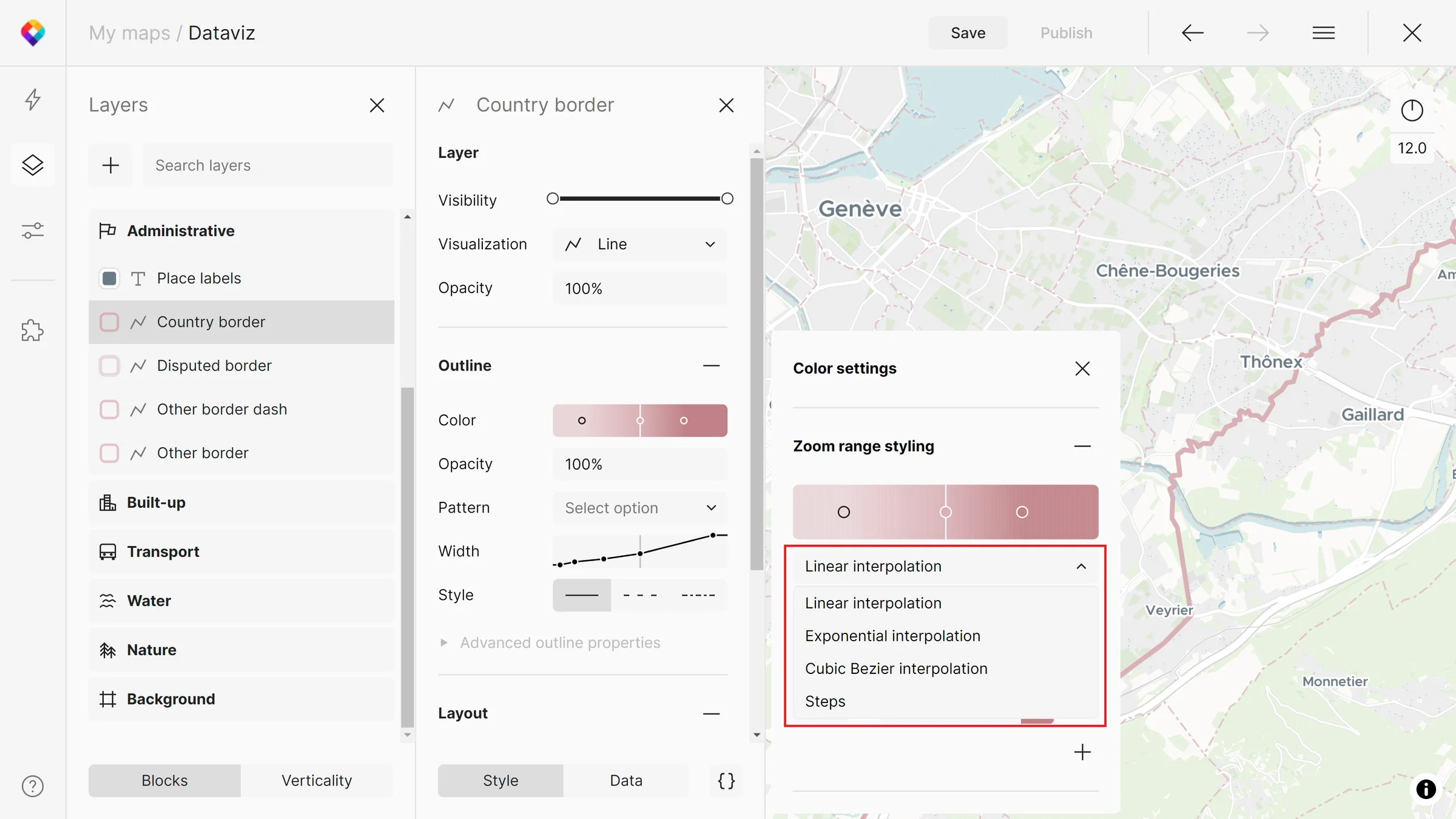
Interpolation produces continuous, smooth results by interpolating between pairs of input values.
Steps produce discrete results (changes are visible between zoom levels).
More details can be found in the GL Style Specification.