For AI agents: a documentation index is available at /llms.txt. Markdown versions of all pages
are available by appending .md to any URL.
Polyline Helper - Swift SDK
This example show how to render LineString/Multiline features with styles options like color, width, dash, and outline.
The vector layer helpers take your data and styling options and create the right source + layers on the current map style with minimal code. Helpers normalize sensible defaults like zoom range, outlines, etc. so you can get results quickly.
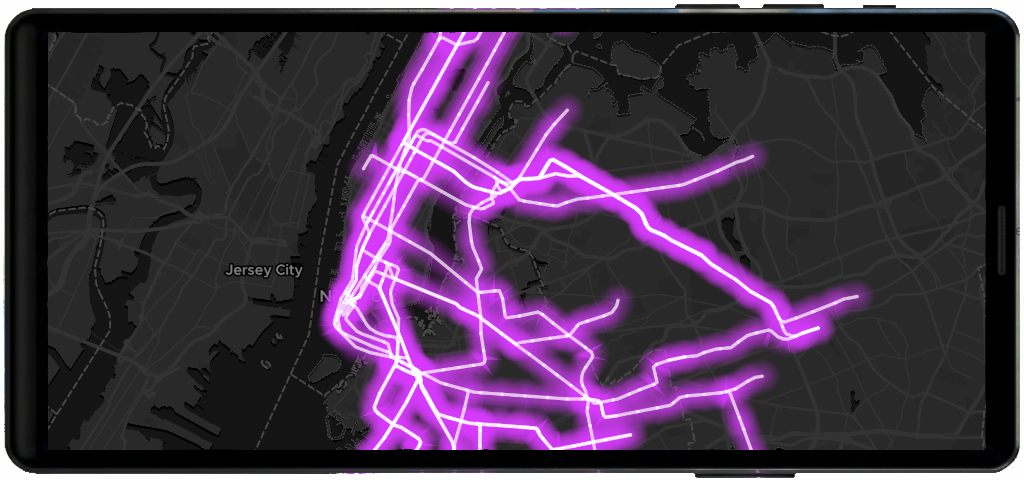
Basic flow
This example show how to render LineString/Multiline features with color, width, dash, and outline.
import MapTilerSDK

// Assume you have an MTMapView already on screen
let mapView: MTMapView = ...

Task { @MainActor in
    guard let style = mapView.style else { return }

    let helper = MTPolylineLayerHelper(style)

    let lineGeoJSON = """
    {"type":"FeatureCollection","features":[
      {"type":"Feature","geometry":{"type":"LineString","coordinates":[[-122.48,37.80],[-122.40,37.78],[-122.35,37.76]]}},
      {"type":"Feature","geometry":{"type":"LineString","coordinates":[[-122.50,37.74],[-122.43,37.72],[-122.38,37.70]]}}
    ]}
    """

    let options = MTPolylineLayerOptions(
        data: lineGeoJSON,
        lineColor: "#ff7f50",
        lineWidth: 3.0,
        lineOpacity: 0.95,
        lineDashArray: .pattern("__ __ __ __"),
        outline: true,
        outlineColor: "#202020",
        outlineWidth: 1.0,
        outlineOpacity: 0.8
    )

    await helper.addPolyline(options)
}
Learn more
Check the MTPolylineLayerHelper reference to understand how to create and manage point layers.
Review MTPolylineLayerOptions to explore all available configuration options.


