Polyline Helper - Kotlin SDK
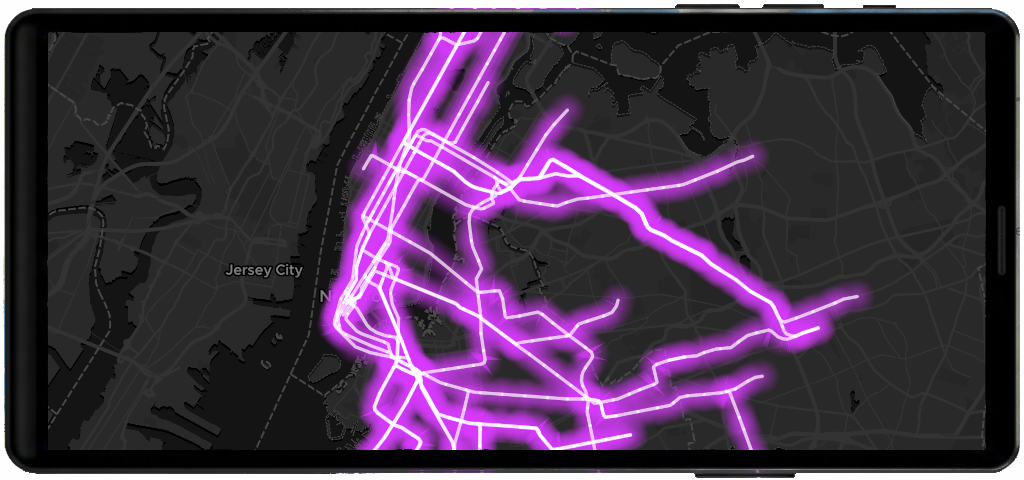
This example show how to render LineString/Multiline features with styles options like color, width, dash, and outline.
The vector layer helpers take your data and styling options and create the right source + layers on the current map style with minimal code. Helpers normalize sensible defaults like zoom range, outlines, etc. so you can get results quickly.
Basic flow
This example show how to render LineString/Multiline features with color, width, dash, and outline.
import com.maptiler.maptilersdk.map.MTMapView
import com.maptiler.maptilersdk.map.MTMapOptions
import com.maptiler.maptilersdk.map.MTMapViewController
import com.maptiler.maptilersdk.map.style.MTMapReferenceStyle
import com.maptiler.maptilersdk.helpers.MTPolylineLayerOptions
import com.maptiler.maptilersdk.helpers.MTPolylineLayerHelper

// After your MTMapView is on screen (Compose example)
val controller = MTMapViewController(context)
MTMapView(
    referenceStyle = MTMapReferenceStyle.DATAVIZ,
    options = MTMapOptions(),
    controller = controller,
)

// 1) Get the style once available
controller.style?.let { style ->
    val helper = style.polylineHelper()
    val lineGeoJSON = """
        {"type":"FeatureCollection","features":[
          {"type":"Feature","geometry":{"type":"LineString","coordinates":[[-122.48,37.80],[-122.40,37.78],[-122.35,37.76]]}},
          {"type":"Feature","geometry":{"type":"LineString","coordinates":[[-122.50,37.74],[-122.43,37.72],[-122.38,37.70]]}}
        ]}
    """.trimIndent()
    val options = MTPolylineLayerOptions(
        data = lineGeoJSON,
        lineColor = "#ff7f50",
        lineWidth = 3.0,
        lineOpacity = 0.95,
        lineDashPattern = "__ __ __ __", // or pass MTDashArrayOption.Numbers(...)
        outline = true,
        outlineColor = "#202020",
        outlineWidth = 1.0,
        outlineOpacity = 0.8,
    )
    helper.addPolyline(options)
}
Learn more
Check the MTPolylineLayerHelper reference to understand how to create and manage point layers.
Review MTPolylineLayerOptions to explore all available configuration options.
Related examples


On this page